
In this ever-evolving digital world, the concept of online ordering has become popular. People save their time and effort by ordering their favourite meals online. If you are among these people, KFC has given you the best option in the form of the KFC app.
The KFC app (Kentucky Fried Chicken App) facilitates KFC customers by allowing them to order Kentucky Fried Chicken meals through their mobile phones and earn rewards. The following is the guide on how you can use the KFC app to order from the KFC menu and earn KFC rewards.
What is the KFC App USA?
As KFC is not only operating in America, but also has its franchises in more than 150 countries around the world. For each country, KFC has a dedicated app. The app, which is dedicated to American customers, is called the KFC App USA.
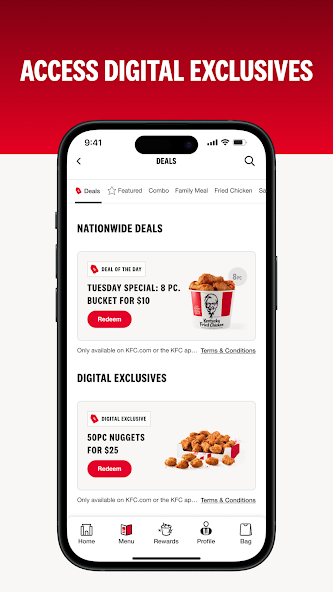
This KFC rewards app allows its users to access the whole KFC menu and KFC app deals. Moreover, users can use KFC app promo codes and coupons to get an extra discount on their orders.
Use of the KFC App (KFC App Benefits)
The KFC app is very useful for KFC customers. This app provides ease to the users by giving them access to the following functions:
- Explore KFC Menu
- Order a KFC Meal
- Earn KFC Points
- Redeem KFC Rewards
- Access KFC Offers
- See KFC Rewards History
- KFC Careers
- KFC Gift Cards
- Find KFC Near You
- Pay through the KFC App
- See Your Points
Explore KFC Menu
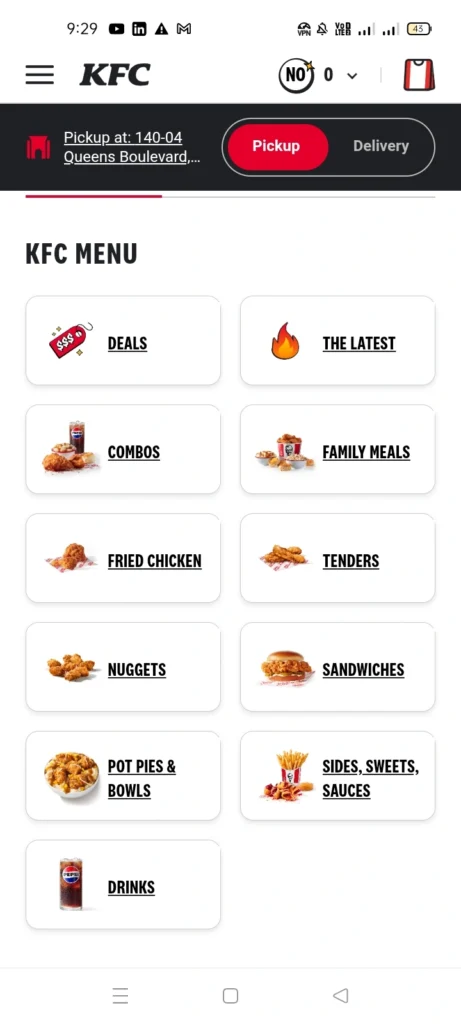
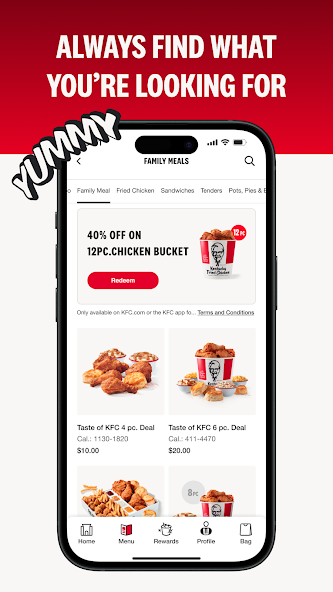
The KFC app allows users to explore the complete KFC menu and find their favourite meal and KFC app deals. The users can explore each category of the KFC menu, such as KFC deals, latest items, combos, family meals, fried chicken, tenders, nuggets, sandwiches, pot pie & bowls, sides, sweets, sauces, and drinks.
Order a KFC Meal
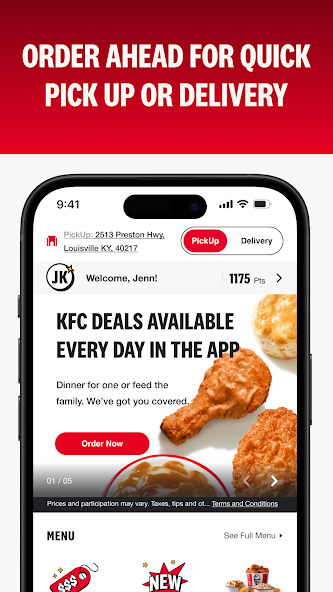
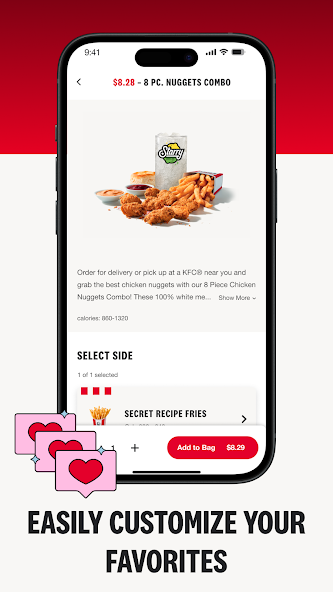
Once the users have selected their favourite item from the KFC menu, they can easily order that item from this app. If you want to order from the KFC app, first you will sign in, then you will choose your location, and order your favourite meal.
While ordering your meal, you can choose either the “Pickup” option or you can choose “KFC delivery” option. If you have chosen the “Pickup” option, you will get your order by physically going to the KFC drive-thru or KFC location. And if you have chosen the “KFC Delivery” option, your order will be delivered to your address.
Earn KFC Points

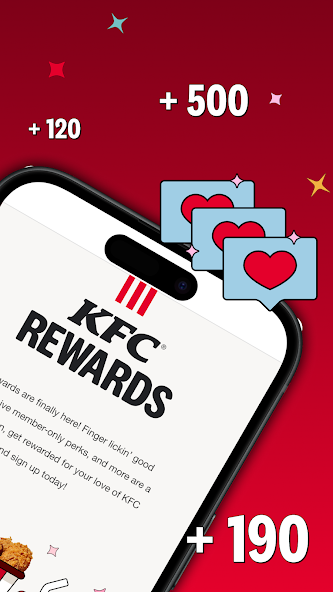
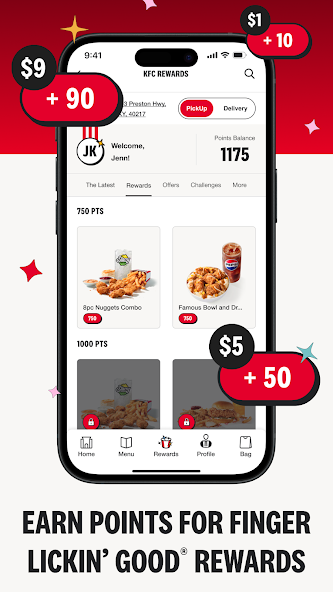
As a KFC Rewards App member, you automatically earn 10 points per dollar spent on the eligible purchase through your KFC rewards account. To become a member of this app, you have to sign up.
Redeem KFC Points for KFC Rewards
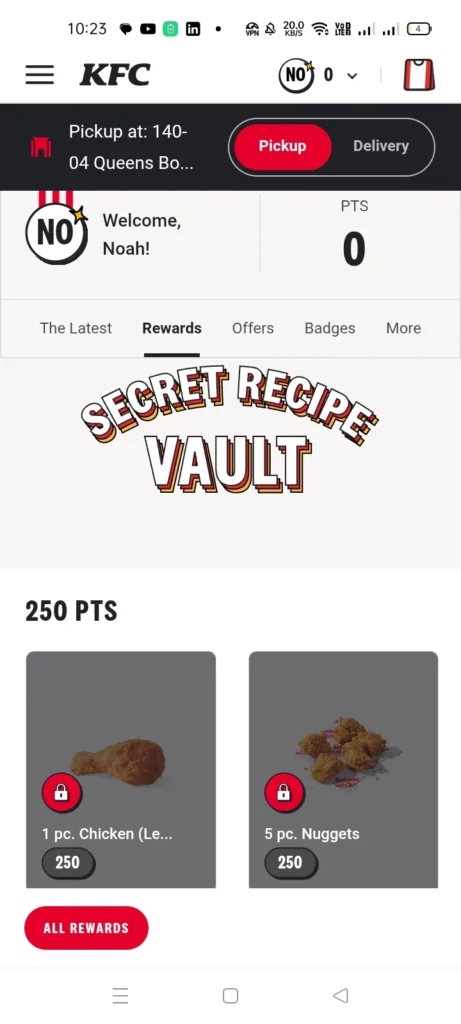
You can redeem your KFC points in the Secret Recipe Vault of the KFC app and get your rewards. Some rewards cost you 250 PTS (points), while others cost you 500 PTS (points), 750 PTS (points), and 1000 PTS (points).
Access KFC Offers
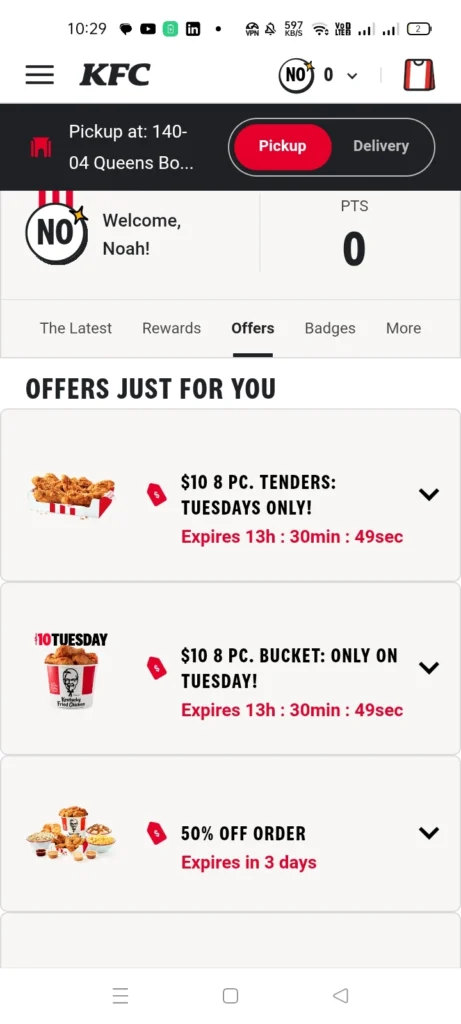
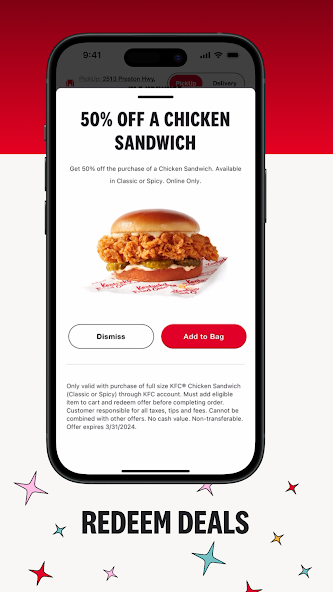
In the “KFC Rewards” section, you get the “Offers” section. In this “Offers” section, KFC provides you with personalised and limited-time offers.
See KFC Rewards History
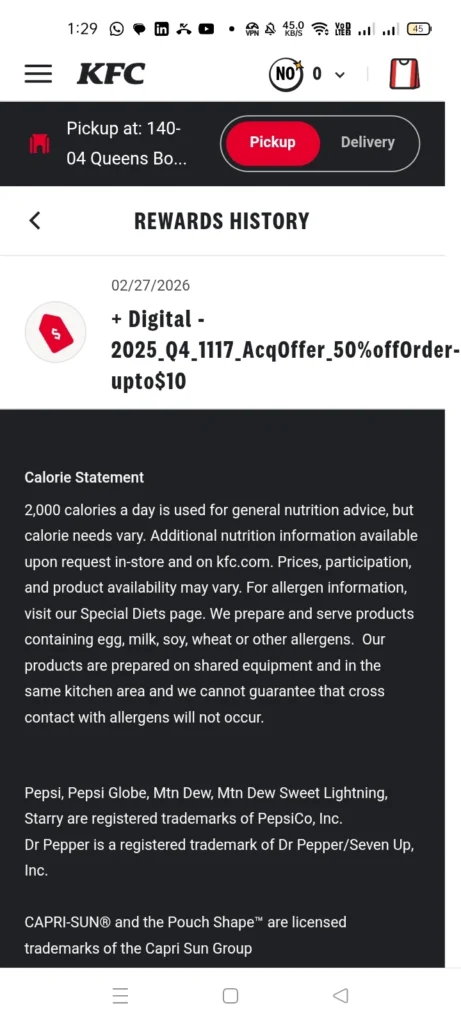
In your KFC rewards app account, you get the “Rewards History” option. Here you can see your orders and rewards history.
KFC Careers
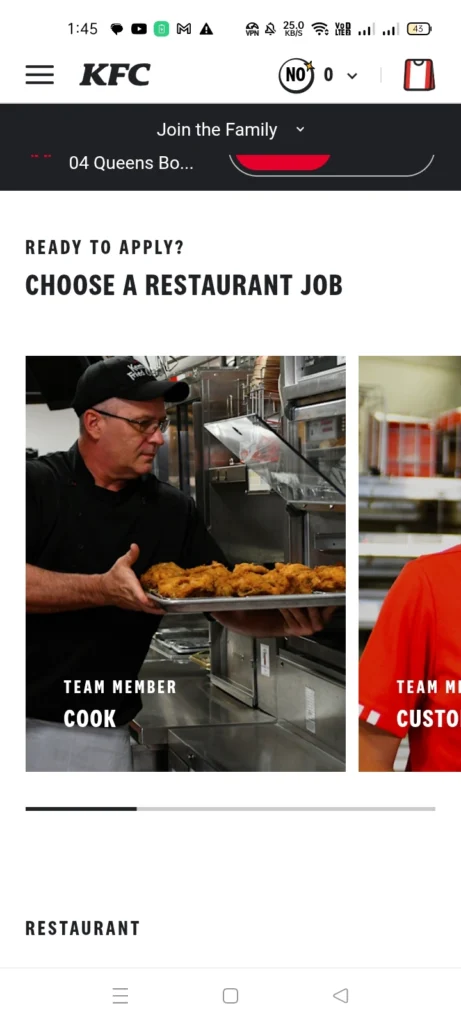
In the KFC app, you see the “KFC careers” option. Here you can apply for jobs at KFC for different positions like KFC cook, KFC shift manager, KFC restaurant general manager, KFC assistant general manager, and KFC team member.
The recruitment process for a KFC job is:
- First, you’ll apply.
- An interview will be scheduled with you.
- You’ll give an interview.
- In the final step, you’ll know whether you are selected for the role or not.
KFC Gift Cards
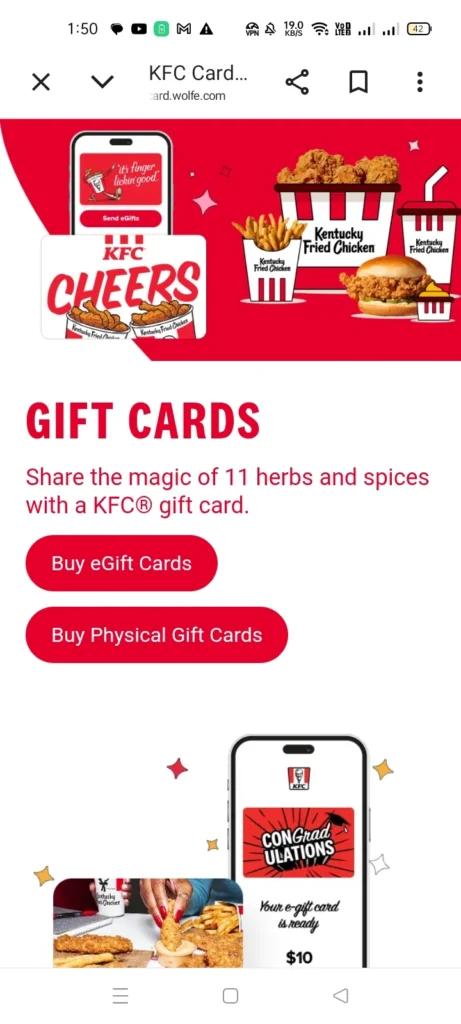
KFC gift cards are prepaid payment cards issued by KFC. The customers can use these cards to buy meals from the KFC menu. These gift cards are available in both physical and digital (e-gift card) formats.
These gift cards come in denominations ranging from $5 to $100. And these KFC gift cards are non-expiring, non-reloadable, and do not require any maintenance fee. You can use these gift cards for in-store purchases.
Find KFC Near You
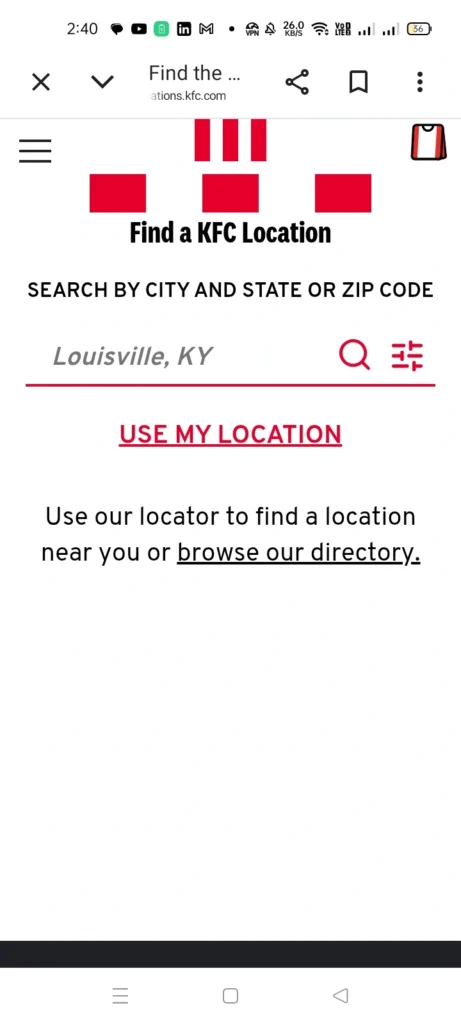
By using the KFC app, you can locate the nearest KFC drive-thru or location. You simply go to the “Find a KFC” section in the app, and find the KFC restaurant which is nearest to you.
See Your Points
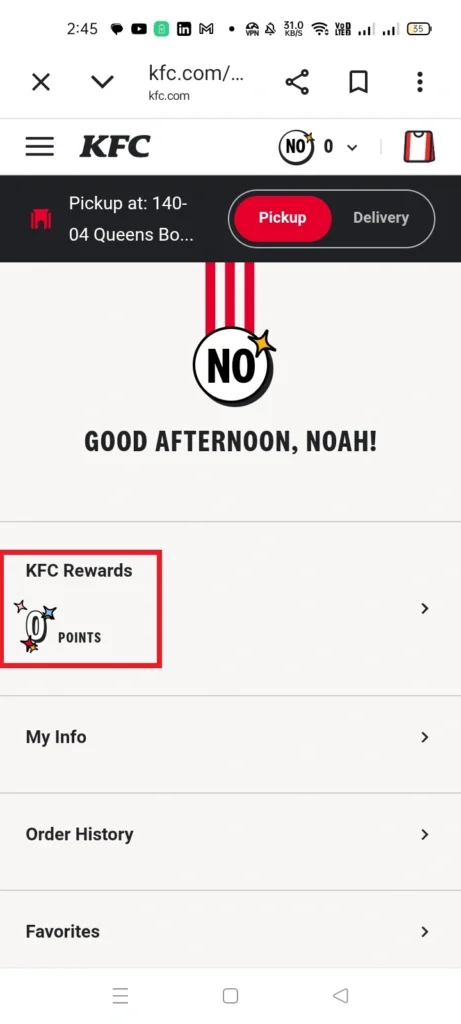
In the KFC app, you can see the many points you have earned.
KFC App for Android USA
The KFC phone App for Android USA makes ordering your favourite chicken fast and easy. You can download it on your phone in a few simple steps:
- First, open the Google Play Store on your Android device.
- Next, search for “KFC App USA.”
- Then, tap the Install button and wait for the download to finish. After that, open the app, sign in, and start ordering.
The app is free, simple to use, and designed for quick access to deals and rewards. This app was updated on December 10, 2025, to improve performance and user experience.
What’s New in the Latest Update of December 10, 2025
- Better personalised deals to help you save money.
- More accurate item availability by location.
- Faster app loading and smoother navigation.
- Improved design for easier use.
- Bug fixes for a more stable experience.
The latest update makes the KFC Android app more reliable, user-friendly, and rewarding for users in the USA.
KFC App for iOS USA
The KFC App for iOS USA helps you order food faster and save money with exclusive deals. You can download it on your iPhone in a few easy steps:
- First, open the Apple App Store on your phone.
- Next, search for “KFC App USA.”
- Then, tap Get and confirm with Face ID or your Apple ID.
- After the download finishes, open the app, sign in, and start ordering.
The app is free, simple, and made for everyday use. This app was updated on December 16, 2025, bringing better performance and improved features for iOS users.
What’s New in the Latest Update of December 16, 2025
- Improved personalised deals to help you save more.
- More accurate availability of menu items.
- Faster app speed and smoother navigation.
- Design updates for easier use and accessibility.
- Bug fixes for a more stable experience.
Privacy Policy Highlights
- Contact information may be collected.
- Purchase data may be linked to your account.
- Identifiers help improve app functionality.
- Usage data supports performance improvements.
- Location and diagnostics may be collected but not linked to your identity.
The KFC iOS app focuses on convenience, transparency, and a better ordering experience for users in the USA.
FAQs
Conclusion
The KFC App USA is a smart and convenient tool for anyone who enjoys KFC. It helps you order faster, save money, and earn rewards with every purchase. From exclusive deals and coupons to easy delivery and pickup options, the app adds real value to your experience.
Whether you use Android or iOS, the KFC app keeps everything simple and organised. Downloading the app is an easy way to enjoy more benefits, better offers, and hassle-free ordering every time you crave KFC.